Captions Before Color: Designing Accessibility Into the First Cut
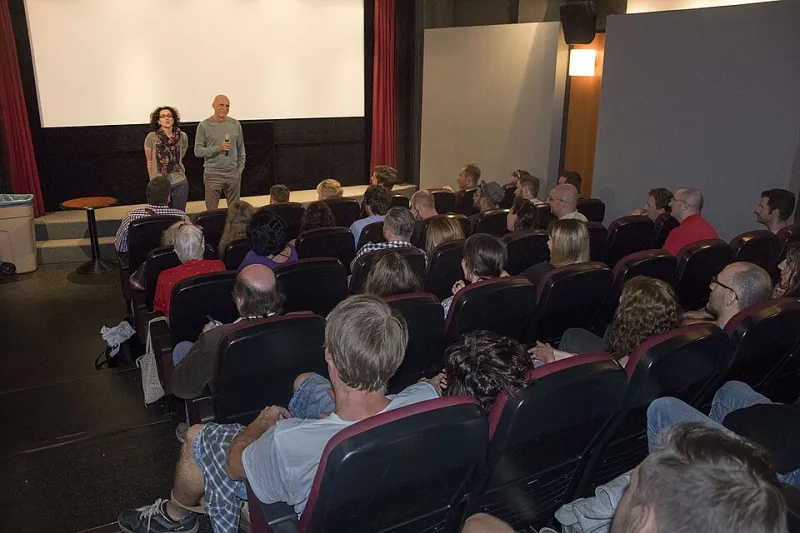
Photo: Elena Ringo, CC BY-SA 4.0, via Wikimedia Commons
At a 90-seat art house this fall, a short film about a father and daughter arguing over a broken radio got two laughs. The first came from a line of dialogue. The second came a beat later, when the open captions rendered a character’s off-screen sigh as [exhales sharply]. Nobody in the room needed that caption to follow the plot. But everybody felt it. That is the quiet argument for accessibility right now: it is not just a delivery requirement. It is another layer of the movie.
For years, micro-budget filmmakers have treated captions, audio description, and accessible Q&As like a fire extinguisher behind glass — something you hope you never need, and something you definitely do not want to pay for. That is changing. Not because every small festival has a compliance officer, and not because the Americans with Disabilities Act suddenly governs every community-center screening. It is changing because audiences are asking, programmers are noticing, and filmmakers are realizing that access can be built into the edit instead of bolted on after the premiere.
The caption track is a creative track
Captioners and programmers I spoke with for this piece kept returning to the same frustration: too many filmmakers hand over a finished cut and a dialogue list days before the screening, then act surprised when the captions crowd the frame or flatten a joke. The fix is not a bigger budget. It is earlier collaboration.
Open captions — the kind burned into the image — are especially useful for short films because they travel. A 12-minute short might screen at a festival with a proper captioning system, a micro-cinema with a projector and a laptop, and a community room with a pull-down screen. Open captions work in all three. Closed captions depend on the venue’s setup, and a lot of small venues do not have one.
But open captions change the image. That is the point, and that is the creative problem. A caption that sits over a character’s mouth is a bad caption. A caption that lands in the negative space you left under a two-shot can feel intentional. A captioner who knows where the next cut is coming can time a line to breathe with the edit instead of fighting it.
One Midwest captioner described her ideal workflow as a conversation, not a handoff. She wants the dialogue list, yes, but also the script, the final cut, and a note about which sounds matter. Is the refrigerator hum a joke? Is the distant train a memory? Captioning is sound design on the page. If you treat it that way, the track stops looking like a subtitle and starts behaving like part of the mix.
What a low-budget workflow actually looks like
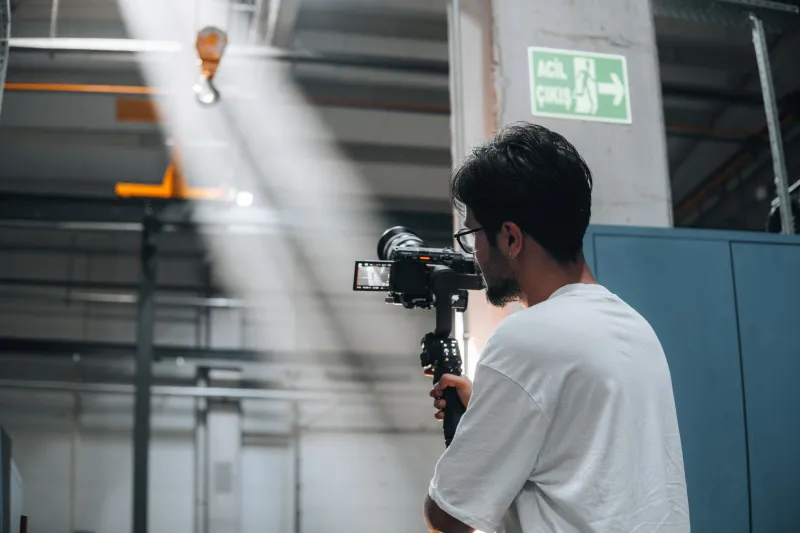
The practical version is less glamorous than the philosophy. It starts in pre-production, when you can still frame for it. Leave a little more room in the lower third than you think you need. Avoid placing crucial props or hand gestures exactly where captions will live. If you are shooting vertical clips for social, test the same captions in a 9:16 crop before you fall in love with a composition.
In the edit, build a caption pass before color. Use a simple sans-serif font with strong contrast. Keep lines short. Do not caption every grunt, but do caption the sounds that carry meaning — a door clicking shut, a phone buzzing, a character speaking off-screen. Speaker IDs help when voices overlap. Music cues should be descriptive, not decorative. [tense synth music] tells the audience more than [music].
Then export two masters: a clean version and an open-captioned version. Label them clearly. Add an SRT or VTT file for venues that prefer closed captions. Put a short accessibility note in your press kit: what versions are available, whether the film has audio description, and who to contact. That note does not cost anything, and it signals to programmers that you have thought about the room.
Audio description is not a luxury good
Audio description — the narrated track that describes visual information for blind and low-vision audiences — has a reputation as a studio expense. For a short film, it can be a weekend project if you prepare the assets. Start with a descriptive transcript. Write down what a sighted viewer learns from the image that is not in the dialogue: the father’s hands shaking, the empty chair, the bus pulling away. Then record a calm read in the pauses. A local theater actor, a $100 microphone, and a quiet room can go a long way.
The key is restraint. Good audio description does not narrate every shadow. It gives the audience the information they need to follow the story and leaves room for interpretation. If your short is mostly dialogue in a single room, the track might be sparse. If it is a visually driven montage, it might need more. Either way, the script starts with the same dialogue list you already made for captions.
The Q&A is part of the movie
Accessible Q&As are the other place where low-budget films often stumble. The post-screening conversation is part of the event, and if the audience cannot hear the question, the event does not work. Practical moves are cheap: repeat every question into the microphone, use a runner to collect written questions, reserve front-row seating for people who need it, and ask in advance whether anyone needs ASL interpretation or live captioning. Put a question on your submission form or ticket page. Ask before the day of the show.
Programmers I spoke with said they notice when a filmmaker includes an accessibility plan. It does not have to be elaborate. A paragraph is enough: open-captioned master available, audio-described version on request, ASL interpretation can be arranged with two weeks’ notice. That paragraph makes the festival’s job easier, and it makes your film more bookable.
A 2026 submission checklist that doesn’t cost a fortune
For filmmakers submitting in 2026, the smartest move is to stop thinking of accessibility as a premiere-week chore. Build it into the final stretch of post. Make a dialogue list. Make a sound list. Test captions on a phone, a laptop, and a projector. Export a clean master and an open-captioned master. Write a descriptive transcript even if you do not record audio description yet. Add an accessibility line to your press kit. Ask your festival contact what they need, and give them clear file names.
None of this requires a post house. It requires a little time, a little humility, and a willingness to let the caption track be part of the frame. The best micro-budget accessibility work does not announce itself as charity. It just makes the film feel more complete — more aware of the room, more generous with the audience, more like cinema. The frame does not end at the edge of the image. It ends where the audience stops understanding. Captions, description, and a well-run Q&A keep that edge a little farther away.